
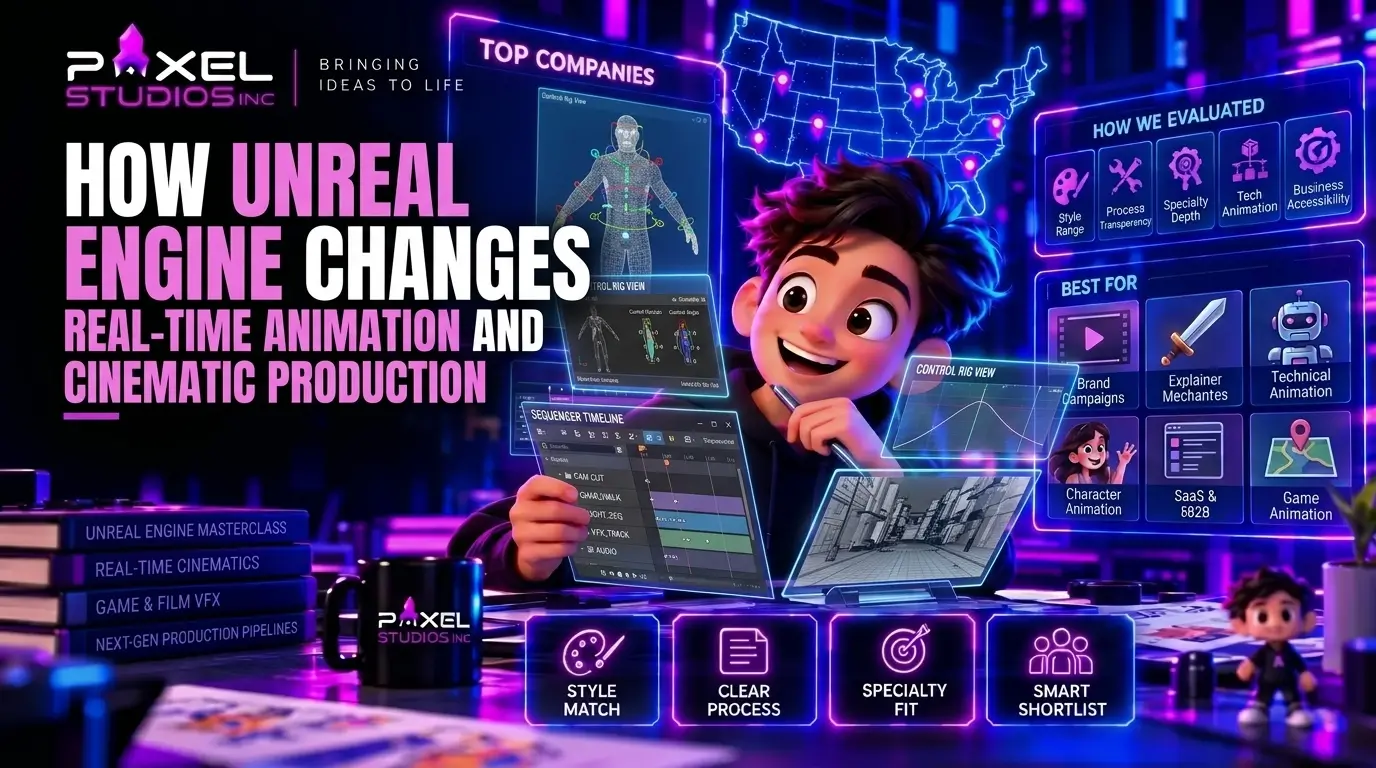
Unreal Engine animation moves production onto a live scene. Sequencer, Control Rig, and real-time rendering replace the render-farm wait with a viewport that plays at game speed, so a director changes a camera, a light, or a performance and sees the result at once. Unreal also shipped 28% of the games released on Steam in 2024 and earned 31% of Steam revenue, according to Video Game Insights, which means assets built for gameplay can carry straight into the trailer.
What Does Unreal Engine Animation Cover?
Unreal Engine animation is every step that makes a character, creature, or camera move inside Epic’s engine. That includes keyframed gameplay clips, state machines in Animation Blueprints, rig-driven procedural motion, facial capture, and the linear cutscenes and trailers built on the Sequencer timeline.
Three layers do the work.
Runtime animation is what the player triggers. Locomotion, combat, and interaction clips get blended by an Animation Blueprint that reads speed, direction, and state. The game animation pipeline covers how those clips travel from a keyframe to the build.
Authored animation lives on a timeline. A boss introduction, a story beat, or a launch trailer plays the same way every time, with a camera the director chose. Unreal Engine cinematics belong to this layer, and so do trailers rendered from the game.
Procedural animation is generated while the game runs. Foot placement on uneven ground, a head that tracks a target, cloth and hair that react to wind all come from rules instead of hand-posed frames. Control Rig is the toolset Unreal uses to build and run them.
A studio offering game animation services for Unreal has to cover all three, because a single character crosses every layer in its lifetime. The hero who sprints in gameplay also stars in the reveal trailer and the boss intro.
Introduce Your Script
To The World With Our
Explainer Videos

How Does Real-Time Rendering Change the Production Schedule?
Real-time rendering draws each frame as the engine plays it, 30 to 60 times per second, in place of baking frames overnight on a render farm. The practical effect is a shorter loop between a decision and its result. Epic’s Unreal Engine 5.6 release targets a steady 60 frames per second on current-generation consoles, high-end PCs and modern mobile devices, and the viewport an animator works in runs close to what the player sees.
| Production step | Offline rendering | Real-time rendering in Unreal |
| Check a camera change | Re-render the shot, wait | Move the camera, watch it play |
| Adjust lighting | Rebake or re-render | Change the light, see the frame |
| Review with a director | Playblast, then final render | Review live in the editor |
| Match the game’s look | Rebuild assets in a film renderer | Use shipping game assets directly |
| Fix a late note | Reopen the scene, queue a render | Edit the sequence, render out |
| Cost of an extra pass | Farm hours | Editor time |
Film crews that adopted the technology report the same effect. In a VFX Voice feature on real-time work, Kevin Baillie described how his team previsualized the whole of Robert Zemeckis’s Pinocchio and said, “We made the movie three times using these real-time technologies.”
For a game studio, the bigger gain is shared assets. A character rig, shader set, and environment built for gameplay load into a cinematic sequence without a conversion step. Video game animation made in Maya or Blender and imported once serves the build, the cutscene, and the marketing capture. The same 3D character animation carries across all three. Our look at the pre-rendered and in-engine trailer decision shows how that plays out when the trailer has to match the shipped game.
Sequencer: The Timeline Where Game Cinematics Get Built
Sequencer is Unreal’s non-linear editor for cinematics. Tracks hold character animation, cameras, lights, audio, visual effects, and gameplay events, and the editor plays them back live against the scene. Anyone who has cut a film timeline reads the layout in a minute.
A game cinematics sequence normally breaks into these tracks:
- Camera cuts that switch between cine cameras, with focal length, aperture, and focus animated per shot.
- Skeletal animation from keyframes, motion capture, or a library, layered on each character.
- Audio for dialogue, effects, and score, scrubbed in real time since the 5.6 release.
- Level visibility and lighting so a shot can swap sets or relight without touching the gameplay level.
- Event tracks that fire gameplay code, so a cinematic can hand control back to the player on an exact frame.
Release 5.6 also added a Sequencer navigation tool for deep hierarchies and an experimental relative-scaling feature that stretches sequence timing to match localized audio. Localization used to mean re-timing cutscenes by hand per language. A dialogue line that runs longer in another language can now stretch its shot instead of forcing a re-edit.
Sequencer output feeds Movie Render Queue for final frames, and 5.6 added Quick Render in beta, a one-click path for stills and sequences using Movie Render Graph settings. That matters most to marketing teams that need a 4K capture the same afternoon a build changes.
Control Rig and the Animator’s Viewport
Control Rig is Unreal’s in-engine rigging and animation system. Animators pose characters on-screen controls inside the editor, and technical animators write graphs that drive the same skeleton procedurally. A rig built once can serve keyframe animation, retargeting, and runtime foot-IK together.
Release 5.6 reworked the tools animators touch daily:
- Motion Trails now show arcs for actors and character controls, with dashed, time-based, and speed-heat styles.
- Tween tools gained slider hotkeys, an overshoot mode, and a time-offset slider.
- The Curve Editor received a lattice tool and smart key snapping.
- Control Rig physics arrived in experimental form for procedural secondary motion.
- Built-in ragdoll arrived as an experimental feature too.
Not every item is production-ready. Epic labels several of them experimental or beta, and for Unreal Engine cinematics on a fixed date, a studio shipping on a fixed date should pin its engine version and test any experimental feature on a branch before depending on it. Studios that skip that step discover the gap in the last month of production.
Rigging is where most Unreal projects stall, because every downstream tool assumes a clean skeleton. Epic recognised the demand and opened a free five-day Rigging in Unreal Engine 5.6 workshop on its Developer Community, aimed at riggers moving over from Maya and Blender. We cover the handoff in what developers should prepare before game character rigging starts.
What Does MetaHuman Animator Do for Facial Performance?
MetaHuman Animator turns a face recording into finished facial animation on a MetaHuman rig. Epic says it runs in real time from almost any camera, including webcams and many smartphones, and it also accepts audio-only input. The highest quality comes from an iPhone with a depth sensor or a stereo head-mounted camera, and final-quality frames process in minutes.
The output uses the standard MetaHuman control set so that animators can refine it in Control Rig or Sequencer like any other keyframed face. That detail separates capture that saves time from capture that moves the work elsewhere. Data that lands on a clean control rig takes a pass of polish. Data that lands on a custom face often needs retargeting first.
With 5.6, MetaHuman Creator moved inside the engine, outfits resize automatically to fit body shapes, and the license permits MetaHumans in other engines and creative software. For smaller teams, that removes the biggest barrier to a believable 3D character animation test: a fully rigged human no longer needs a month of modeling. Lip sync and acting still need direction, and the principles are the same ones covered in our lip sync animation guide.
Where Does Virtual Production Fit a Game Project?
Virtual production uses a real-time engine to show a finished-looking scene while shooting, usually with an LED wall behind live actors or a virtual camera in front of a captured performance. Games use the second half far more than the first. A mocap stage streams an actor’s movement into Unreal, the director frames shots with a tracked virtual camera, and the take plays against the actual game environment.
Three practical uses show up in game work:
- Previs and shot planning. Block an entire cinematic in grey-box environments before a single final asset exists, then swap assets in as they finish.
- Performance capture sessions. Directors see the character, not the actor in a suit, which changes the notes they give. Unreal 5.6 added an experimental Mocap Manager to record performance capture inside the editor, plus an experimental Capture Manager integrated with Live Link Hub to ingest MetaHuman takes.
- Virtual camera work. A tracked handheld device gives a cinematic shake and imprecision of a real operator, which keyframed cameras rarely match.
Epic also introduced an experimental Cinematic Assembly Toolset for shot management in 5.6. Studios that run many shots per sequence will want it, though it remains experimental and belongs in tested pipelines only.
Film productions use virtual production as a way to bring VFX decisions earlier. VFX Voice reported that Framestore used real-time tools to bring dynamic 3D characters into Paddington in Peru earlier in production, and Zoic Studios moved its involvement forward on shows such as The Boys. Games gain the same benefit, and video game animation studios see it with less friction, since the assets already exist in the engine.
What Can Real-Time Not Do Yet?
Real-time rendering trades some film-grade quality for speed, and the trade shows in specific places.
Render passes. Richard Clarke of Cinesite told VFX Voice that adding more AOVs slows real-time output, and render passes are harder to replicate in real-time workflows. A shot that needs dozens of separate passes for a compositor still suits an offline renderer. If your trailer goes through heavy video compositing, plan the pass list before choosing the renderer.
Talent. Jason Starne of AMS Pictures made the sharpest point in the same piece: too few people know Unreal well enough to run a full virtual production, and marketing has led clients to believe the work is easy. Hire for experience in the shipping pipeline. Familiarity with the Unreal logo proves nothing.
Frame budget. A cinematic that plays inside the game shares the machine with gameplay systems. Hair, hundreds of lights, and dense effects need to fit the same budget the player’s hardware supplies, or the sequence has to be pre-rendered.
Offline polish. Motion blur, depth of field, and global illumination all work in real time, and an offline path tracer still produces cleaner results on the hardest shots. Studios often render hero shots offline and keep everything else in-engine.
Honest scoping here separates a partner who has shipped from one who has watched the demos. The VFX versus motion graphics breakdown explains a related split: some effects belong in the engine, and some belong in a compositor.
Unreal or Unity for an Animation-Heavy Project?
Pick the engine your gameplay already uses. Switching engines to chase a cinematic tool costs more than the cinematic.
The market data explains why this question comes up. In Video Game Insights’ 2024 sample of more than 13,000 Steam releases, Unity powered 51% of games and Unreal powered 28%. Revenue told a different story: Unreal earned 31% of Steam revenue, the first time since 2018 it had out-earned Unity, against Unity’s 26%. Unity dominates volume. Unreal dominates the high-budget end, where cinematics and character fidelity carry marketing weight.
| Factor | Unreal Engine | Unity |
| Cinematic timeline | Sequencer, built-in | Timeline package |
| Procedural rigging | Control Rig, built-in | Animation Rigging package |
| Facial capture | MetaHuman Animator | Third-party tools |
| Typical project | High-fidelity PC and console | Mobile, indie, cross-platform |
| Animation handoff | Anim Blueprints, Montages, retarget sources | Animator Controller, blend trees |
Studios delivering across both engines, as Pixel Studios does for its game animation clients, hand over animation in the shape each engine wants: Animation Blueprint support, bone naming and retarget source assignment for Unreal, Animator Controller setup for Unity.
Pre-Rendered or In-Engine: Which Cinematic Route Fits?
Choose in-engine when the cinematic must match the shipped game, and pre-render when the shot needs film-grade quality the engine cannot hold at frame rate.
| Situation | Better route |
| Story cutscene that shows the player’s armour and loadout | In-engine |
| Reveal trailer for a stylised or lower-fidelity game | In-engine |
| Hero trailer with film-level lighting and crowd simulation | Pre-rendered |
| Multi-language release with many dialogue cutscenes | In-engine |
| Trailer that goes through heavy compositing | Pre-rendered |
| Tight schedule with late design changes | In-engine |
| Cinematic with no connection to gameplay assets | Either, choose one look |
Many projects mix the two. Gameplay cutscenes run in-engine, and the launch trailer renders offline from the same assets at higher settings. Cost differences between the routes are covered in the game animation cost guide, since the pricing behaves differently for each.
What Should You Ask a Studio Before Hiring for Unreal Work?
Ask for engine-specific proof. Five questions expose real experience quickly:
- Which engine version will you build on, and who locks it? Experimental features change between releases.
- Do you deliver Anim Blueprints and Sequencer setups, or raw FBX files? Raw files push integration work onto your team.
- Who owns the rig, and in what format does it return? A Control Rig asset and an exported skeleton are different deliverables.
- Is every animation tested in the target engine before delivery? This is the single best predictor of a clean handoff.
- What is your retarget plan for characters that share a skeleton? Retargeting multiplies animation reuse and cuts cost.
Pixel Studios runs a seven-stage game animation process that opens with discovery and a rig assessment and closes with engine integration testing and quality assurance. Starting from a rig assessment keeps the most expensive errors, the ones baked into a skeleton, from reaching animation.
Shopping for game animation services is easier with a stack of answers in hand. Pair them with the character animation samples you want matched and the game trailer references you expect to hit. For a wider view of how one studio’s output divides across clips, characters, and cinematics, start with the overview of game animation and the game character animation deep dive.
Introduce Your Script
To The World With Our
Explainer Videos
Frequently Asked Question?
What is Unreal Engine animation?
Unreal Engine animation is the production of character, creature, and camera movement inside Epic’s engine. It spans gameplay clips driven by Animation Blueprints, procedural motion from Control Rig, facial capture with MetaHuman Animator, and linear cinematics built in Sequencer.
Is Unreal Engine good for cinematics?
Yes. Sequencer gives a film-style timeline with cameras, lights, audio, and animation tracks, and real-time rendering shows changes as they happen. Hero shots that need heavy render passes still suit an offline renderer, so many studios combine both.
How does real-time rendering save production time?
It removes the render wait from review. Directors move a camera or relight a scene and see the result immediately, and assets built for the game load into the cinematic without conversion. The saving shows up as fewer re-render cycles and fewer late-stage rebuilds.
Can small studios use virtual production for game cinematics?
Yes, at a smaller scale. A tracked phone or handheld device can act as a virtual camera, MetaHuman Animator accepts webcam and smartphone footage, and previs sequences cost editor time. Full LED-wall stages stay a film-budget tool.
Should I choose Unreal Engine or Unity for animation-heavy games?
Stay with the engine your gameplay already runs on. Unreal brings Sequencer, Control Rig, and MetaHuman Animator built in, and it earned 31% of Steam revenue in 2024, while Unity powered 51% of Steam releases. Engine switches cost more than the cinematic tooling saves.

