
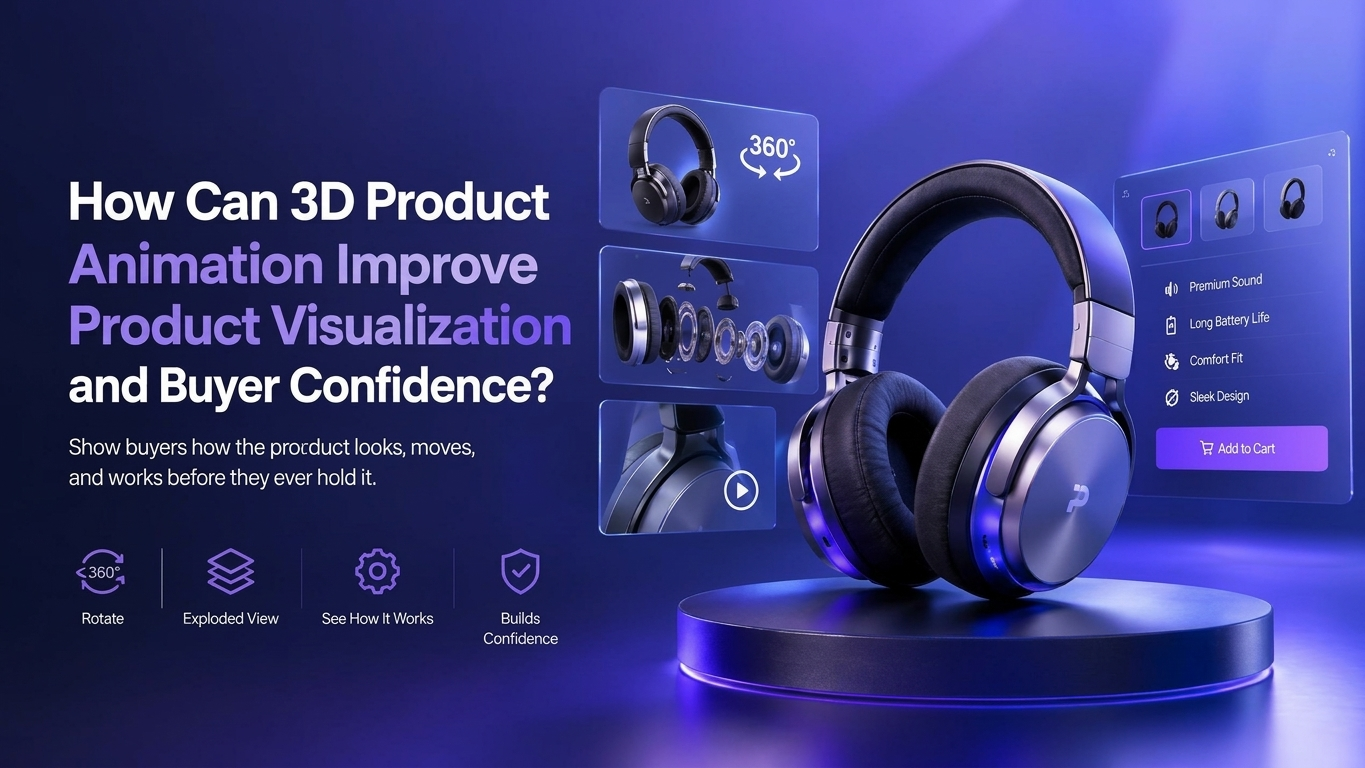
Show buyers how the product looks, moves, and works before they ever hold it.
A buyer who can’t picture the product won’t pay for it. Shopify data shows merchants who add 3D content to product pages see conversion rates 94% higher on average than pages without it. That gap is the business case for product visualization, and 3D product animation is its most complete form because it shows the product rotating, opening, assembling, and working. Below: how motion turns into buyer confidence, where it pays off by industry, and the mistakes that quietly drain a production budget.
Why Do Buyers Hesitate Right Before They Commit?
Hesitation comes from unanswered questions. A shopper looking at a $900 espresso machine wants to know how big it is next to a kettle, what the steam wand looks like up close, and how hard the drip tray is to clean. A procurement lead comparing industrial pumps wants to see how the impeller seals. When the page can’t answer those questions, the buyer leaves to find the answers somewhere else, and that somewhere is usually a competitor’s listing.
Consumer researchers tend to sort these doubts into three groups:
- Product risk: Will it look and perform the way the listing suggests?
- Financial risk: Is it worth the price, and what happens if I chose wrong?
- Time risk: Will a return cost me a week of boxes, labels, and emails?
Strong product visualization goes straight at product risk, and the other two soften as a result. A buyer who has watched an item work from every angle expects fewer surprises, so a return feels less likely and the price feels safer. That chain of reasoning is the entire mechanism behind buyer confidence. It also explains why 3D product videos reduce ecommerce purchase uncertainty more reliably than one more round of studio photography.
Introduce Your Script
To The World With Our
Explainer Videos

What Can 3D Product Animation Show That a Camera Cannot?
A camera records what already exists, under whatever light the set allows. Animation starts from a digital model, so the only limits are accuracy and intent. If you are new to the format, a quick primer on what 3D product animation involves is useful context. Three capabilities do most of the heavy lifting when 3D product visualization is built to earn buyer confidence.
Internal Mechanics and Exploded Views
How do you show a buyer what sits inside a sealed housing? You take it apart digitally. An exploded view animation separates every component along its axis and then snaps it back together, which lets a viewer judge build quality in about eight seconds. For electronics, power tools, and medical devices, that single shot often ends the internal debate. Engineers trust it because the parts come straight from the CAD model. Marketers like it because it signals precision without a single line of copy.
Materials, Scale, and Finishes Under Controlled Light
Brushed aluminum, matte silicone, and smoked glass all photograph differently depending on the light. In a 3D scene, physically based rendering (PBR) materials react to light the way the real surface would, and a lighting artist can hold that look perfectly consistent across forty colorways. Scale gets solved by placing the product next to something familiar, such as a hand, a phone, or a coffee cup, so buyers can judge size without squinting at a dimensions table. Accurate product modeling is what makes all of this believable; a model built to the wrong tolerance shows up as a product that looks slightly off, and buyers notice even when they can’t say why.
Products That Don’t Exist Yet
Physical product prototypes are expensive to build and slow to ship to a photographer. A digital model can be animated months before the first production unit leaves the line, which means pre-order pages, crowdfunding campaigns, and investor decks can show the finished product while tooling is still being cut. Teams that turn CAD files into 3D animation during development often get launch-ready marketing assets for less than the cost of shooting hand-built product prototypes, and they can update the visuals the moment engineering changes a part. Hardware startups use the same renders of product prototypes in pitch meetings, so one model serves sales, marketing, and fundraising.
The Confidence Stack: A Five-Layer Framework for Product Visualization
Buyers ask their questions in a fairly predictable order. The Confidence Stack maps each question to the asset that answers it, so you can see which layers your current product visualization covers and which ones you have left to chance.
| Layer | The buyer’s question | Asset that answers it | Typical length |
| 1. Recognition | What is this? | Hero turntable or a 3D product commercials opener | 5 to 10 seconds |
| 2. Scale and form | How big is it, and what does it look like in real life? | Context render with familiar reference objects | 5 to 15 seconds |
| 3. Function | How does it work? | Product demonstrations with animated callouts | 20 to 45 seconds |
| 4. Build quality | What’s inside, and is it well made? | Exploded view or cutaway | 10 to 20 seconds |
| 5. Ownership | What is it like to set up, use, and maintain? | Assembly, setup, or cleaning sequence | 30 to 90 seconds |
Layers one and two win the click. Layers three through five win the purchase and protect you against returns. Most brands overspend on the first layer, usually a gorgeous spinning hero shot, and leave buyers to guess at everything after it. Audit your top-selling product against this table and you will usually find the gap in under five minutes.
What Does the Data Say About 3D Visuals and Buyer Confidence?
3D visuals push conversion up and returns down, with results that vary by category and execution. These are the figures worth knowing:
| Source | Finding |
| Shopify merchant data | 94% higher conversion on average for products with 3D content |
| Gunner Kennels (Shopify Plus) | 40% rise in order conversion and a 5% drop in returns after adding 3D product pages |
| Gat Creek Furniture (Threekit) | 35% conversion lift and a 134% increase in average order value within seven weeks |
| Fixtuur and London Research, 100 furniture retailers | 96% said visual commerce improved online sales, and 70% reported fewer returns |
Read the headline figure with some care. The 94% number is an average across merchants who chose to invest in 3D, and those merchants probably run stronger stores to begin with. The individual case studies tell you more, because they compare the same catalog before and after. Across every source, though, the pattern holds: when buyers see more of the product, they buy with fewer second thoughts and send back less of what they bought.
Where Do 3D Product Commercials and Showcase Videos Pay Off by Industry?
The format stays the same across sectors, while the buyer’s biggest doubt changes. Here is where 3D product visualization earns its budget fastest.
Ecommerce and Retail
Product pages succeed or fail in the first three seconds, which is why product showcase videos now sit at the top of most high-converting listings. Short product showcase videos looped on the listing, plus an interactive turntable in the gallery, cover layers one and two of the stack in one move. Brands selling online can see how these assets fit a full content plan on our ecommerce video production page, which covers listing assets, paid social cutdowns, and marketplace specs.
Consumer Electronics and Technology
Devices hide their value inside a case. Exploded views, port callouts, and UI overlays let a buyer understand a headset or keyboard without reading a spec sheet. The G-Lab gaming keyboard 3D product promo is a useful reference point: the animation sells switch feel and RGB lighting, two things a still photo flattens. Hardware brands with longer sales cycles will find more applications on our technology animation page.
Manufacturing and Industrial Equipment
Who wants to approve a six-figure press or pump without seeing it run? Nobody. Animated product demonstrations show flow paths, moving parts, and maintenance access that a trade show booth can only describe. 3D industrial animation brings the engineering accuracy these buyers expect, and our manufacturing animation work shows how the same footage feeds sales decks and distributor training.
Medical Devices and Healthcare
Clinicians want to see the device in the procedure. Animation can place an instrument inside anatomy, show tissue interaction, and walk through sterile handling without a live surgery or patient consent forms. The ConMed AirSeal medical device explainer shows how product demonstrations translate for a surgical audience, and the broader approach lives within our medical animation service.
Automotive
Configurators and launch films let buyers swap trims, open doors, and look at the drivetrain without visiting a dealership. Automotive animation leans heavily on product modeling accuracy, since enthusiasts spot a wrong wheel spoke or badge position instantly and say so in the comments.
Broadcast and Paid Media
When the goal moves from the product page to reach, 3D product commercials take over. Broadcast spots, pre-roll, and connected TV ads all fall under 3D commercial animation, where pacing, sound design, and a strong final frame matter as much as material accuracy. Our animated commercials services cover that side of production, from 6-second bumpers to full 60-second spots.
How Do You Plan a Product Visualization Project? A 7-Step Checklist
Use this checklist before you brief any studio. It keeps the project tied to buyer questions instead of pretty frames.
- List the ten questions buyers ask before they purchase. Pull them from support tickets, sales call notes, product reviews, and return reasons. These become your shot list.
- Map every question to a layer of the Confidence Stack. Any question without a layer is a gap in your current product visualization.
- Gather your source data. CAD files, material swatches, Pantone or RAL color codes, and a physical sample if one exists. Product modeling from CAD is faster and far more accurate than modeling from photos, and our 3D modeling services team can clean engineering geometry for rendering.
- Decide on a realism level. Photorealistic suits consumer goods sold on look and feel; stylized suits complex systems where clarity matters more than texture. This breakdown of photorealistic vs stylized 3D animation helps settle the choice.
- Script in the buyer’s order. Lead with recognition, then function, then proof. Keep product demonstrations under 45 seconds for listings and save longer cuts for landing pages and sales decks.
- Plan your cutdowns before production starts. One master render can feed a 6-second ad, a 15-second social loop, a 30-second listing video, and a full set of stills, but only if the camera moves are planned for every aspect ratio from day one.
- Measure against a baseline. Track conversion rate, time on page, add-to-cart rate, and return reasons for 60 days before and 60 days after launch. That data tells you which products deserve the next round of investment.
For a closer look at what happens between brief and final render, our walkthrough of the 3D product animation process covers each production stage and sign-off point.
Three Objections Worth Taking Seriously
Skepticism about 3D is healthy. Here are the three pushbacks marketing and finance teams raise most often, with straight answers to each.
“Our Product Photos Already Look Great”
Great photos answer layer one and sometimes layer two. They rarely show how something works or what sits inside it. Keep the photography and use animation for the questions photos leave open; the two formats perform better side by side than either does alone. Our comparison of product rendering vs animation vs photography lays out where each one earns its place on the page.
“Buyers Will Think 3D Looks Fake”
They will if the materials are wrong. Plastic that reflects like chrome and fabric with no visible weave reads as CGI instantly. The fix is reference-matched materials, real-world lighting setups, and small imperfections such as faint surface wear on a matte finish. Done properly, most viewers can’t tell a render from a photograph, and a fair share of the product images you scrolled past this week were rendered.
“It’s Too Expensive for a Mid-Size Catalog”
The first model is the expensive part. After that, colorways, variants, and fresh angles cost a fraction of a reshoot because the asset already exists. Start with your five highest-revenue products, measure, and expand from there. Our guide to 3D product animation cost breaks pricing down by complexity, length, and render quality so you can scope a sensible pilot.
What Should You Look for in a 3D Animation Studio for Product Work?
Product animation sits where engineering meets marketing, so the right partner needs fluency in both. Many teams start by typing “3D animation studio USA” into a search bar and sorting by portfolio. A sharper filter is to check four things:
- A portfolio of products similar to yours in material and complexity. A studio that renders sneakers beautifully may struggle with surgical stainless steel.
- A CAD-first pipeline. Ask how they handle STEP, IGES, or SolidWorks files and how they prepare geometry for rendering.
- Marketing judgment. The right 3D animation company thinks in buyer questions and cutdowns, and can explain why each shot exists.
- Clear ownership terms. You should own the final model so it can feed future campaigns, configurators, and AR viewers.
Watch the specialist boundaries too. A 3D visualization company built around architecture may lack product experience, and a 3D animation agency built around ads may skip engineering accuracy. Some brands keep a small in-house team for stills and use 3D animation outsourcing for hero films and launches; others hand the full program to one partner offering professional 3D animation services from model to final edit. Enterprise teams often bundle product films with training and investor content under corporate 3D animation services, which keeps one visual language across every touchpoint. If your brief includes data overlays or UI callouts, confirm the same team handles 3D motion graphics in-house so the look stays consistent.
Our guide on how to choose a 3D product animation company lists the vetting questions worth asking on the first call.
Ready to Show Buyers What Your Product Can Do?
Every unanswered buyer question costs you a sale or invites a return. Pixel Studios Inc. builds 3D product animation that answers those questions in order, from the first hero frame to the final assembly shot, using your CAD data and brand standards. Explore our 3D product animation services to see the formats we produce, or browse our broader 3D animation services for launch films and campaigns. When you’re ready, book a free product visualization consultation and bring your top-selling SKU.
Introduce Your Script
To The World With Our
Explainer Videos
Frequently Asked Question?
What is product visualization in 3D animation?
Product visualization is the process of creating digital images or animations that show a product’s appearance, scale, and function before a buyer handles it. In 3D animation, the product is built as an accurate digital model, given realistic materials and lighting, and then animated to rotate, open, assemble, or operate, so buyers can understand it from every angle.
Does 3D product animation reduce returns?
Yes, in most documented cases. Returns often happen because the item looked different on screen or worked differently than expected. Brands such as Gunner Kennels reported a 5% drop in returns after adding 3D product pages, and 70% of furniture retailers in one industry study said visual commerce reduced their return rates.
How long does it take to create 3D product commercials?
A typical 30 to 60 second spot takes three to six weeks, depending on model complexity, number of scenes, and revision rounds. Projects that start from clean CAD files move faster, since product modeling time drops sharply. Short listing loops built from an existing model can be turned around in one to two weeks.
Can you create 3D product visualization from CAD files or photos?
Both work, and CAD is better. CAD files give exact dimensions and part relationships, which matters for exploded views and mechanical product demonstrations. When CAD isn’t available, artists build the model from reference photos, measurements, and a physical sample, which adds time and calls for an extra accuracy review.
Are 3D product animations better than product photography for ecommerce?
They do different jobs. Photography is fast and familiar for hero images, while animation shows function, internal parts, scale, and every colorway from a single model. The strongest product pages pair a few photos with short product showcase videos and a 3D turntable, so buyers get both the real-world feel and the full picture.

